
Visualmed: Clinical Trials
Usama NasirMedical
4.414.00 Reviews
- Version
- 1.12
- Installs
- 10.00K
- Age Rating
- Everyone
Screenshots
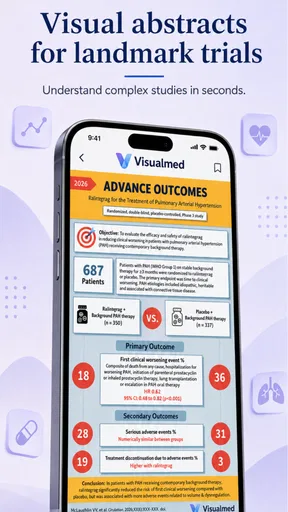
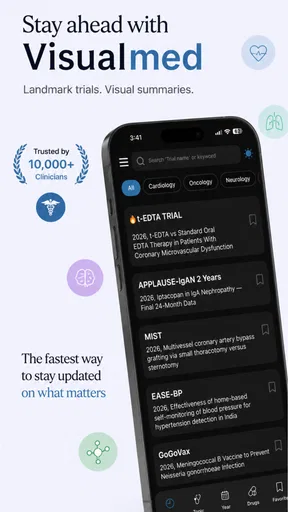
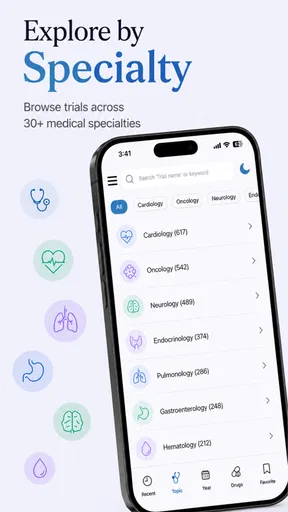
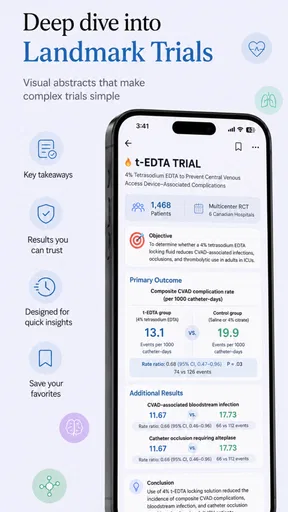
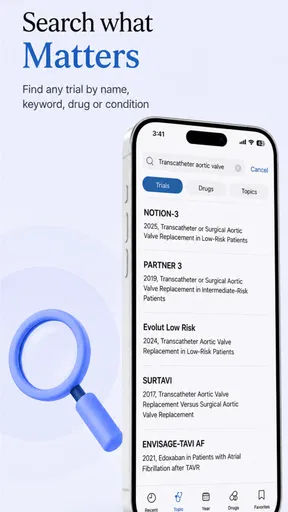
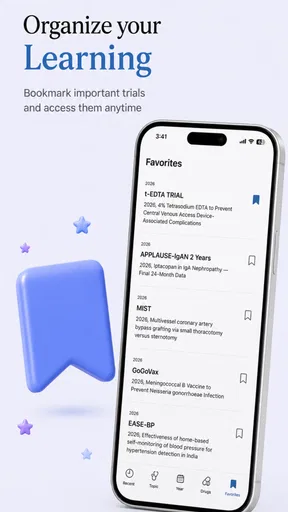
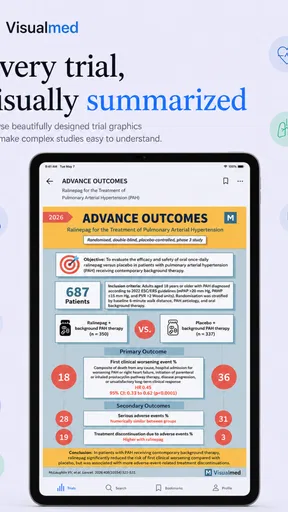
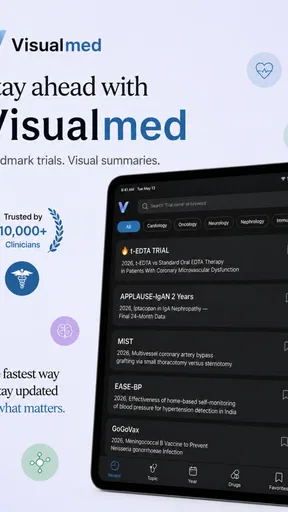
Our Review of Visualmed: Clinical Trials
 Analysis by Appyee
When I first opened Visualmed: Clinical Trials, I understood its appeal almost immediately: it tries to turn difficult medical-trial information into visual summaries that are easier to scan and remember. That is a focused idea, and it makes this free medical app from developer Usama Nasir more interesting than a general-purpose health reference. I would not use it as a diagnostic tool or as a replacement for a textbook, but I found it useful when I wanted to understand the basic shape of an important clinical trial without starting with several pages of dense academic writing.
The app is aimed at people who need a quick, structured view of landmark research in medicine. That includes medical students, healthcare workers revising a topic, researchers orienting themselves before reading full papers, and curious readers who want more than a simplified health article. Its central strength is not that it gives me every detail. Instead, it gives me a visual starting point: what was studied, who was involved, what was compared, and what the result meant in broad terms.
That distinction matters. A visual summary can make a trial easier to approach, but it can also make a complicated study look more straightforward than it really was. My overall impression is that Visualmed works best as a first pass and a memory aid. It is particularly valuable when I use it to decide which trial deserves a closer reading, rather than treating the screen as the final word on clinical evidence.
Why the visual clinical-trial format is useful
Clinical trials are often difficult to absorb because the important information is spread across several parts of a paper. The research question may appear in one section, the patient group in another, the intervention and comparison in a table, and the outcome details much later. Visualmed’s main capability is to bring those elements into a more compact presentation. In practice, that changes the task from reading every sentence in sequence to identifying the study’s structure first.
I found that especially helpful when revising several related treatments. Instead of trying to remember isolated names and conclusions, I could think in terms of a study’s design and purpose. A visual layout encourages me to ask practical questions: Was the trial comparing two active approaches? Was there a control group? Were the participants similar to the people I am thinking about? Was the outcome something patients would notice, or mainly a laboratory measurement?
The real benefit is reduced cognitive friction, not reduced medical complexity. The app can make the route into a subject shorter, but it cannot remove the need for careful interpretation. That is why I see it as a companion to proper medical reading rather than a self-contained evidence library for making treatment decisions.
There is also a useful memory advantage. When information is arranged visually, I can often recall the relationship between the study question, the patient population, and the result more easily than I can recall a paragraph copied from a paper. For students, that can make a difference during revision. For professionals, it can help refresh a familiar trial before a meeting or a discussion with colleagues.
Still, a visual summary has to be read actively. I try not to jump straight to the conclusion. I first identify the population and comparison, then consider what the outcome actually measures. This small habit prevents the most common mistake with condensed medical information: remembering the headline result while forgetting who was studied and under what conditions.
What I look for before trusting a summary
My preferred workflow is to treat each visual as a map. I begin with the clinical question, because a result is only meaningful in relation to the problem the researchers were trying to solve. Next, I check the intervention and comparator. A treatment may appear successful when compared with an older option, yet have a very different meaning when compared with no treatment or with usual care.
I then look at the participants. This is one of the most important details to carry away from any trial summary. A study involving a narrow patient group should not automatically be applied to every person with a similar diagnosis. If the visual presentation helps me notice that limitation early, it has already done something valuable.
Finally, I separate outcomes from conclusions. A trial can show a measurable change without proving that every patient will experience a major improvement. When Visualmed gives me a concise overview, I use it to form better questions for the original paper or for a trusted clinical guideline. That is a more responsible use than copying a conclusion into a personal treatment plan.
Using the app in a realistic study or work routine
Imagine I am preparing for a seminar on a common medical condition. I have a limited amount of time and a long reading list. Rather than opening several full papers immediately, I can use Visualmed to orient myself around the landmark trials first. I would review the visual summaries, note which studies address the same question, and mark the ones whose populations or outcomes are closest to the seminar topic.
After that first pass, I would move to the original publications or a reliable evidence source for the details that affect interpretation. This two-stage process is where the app makes the most sense: visual orientation first, detailed verification second. It saves time at the beginning without pretending that a compact summary can replace the source material.
A student could use the same method before an exam. Instead of memorizing disconnected trial names, the student can build a mental sequence around the clinical problem, the intervention, the comparison, and the main finding. I would still recommend writing a short note in the student’s own words after viewing each summary. That turns passive browsing into active recall and exposes gaps that a quick glance might hide.
For a clinician, the useful scenario is slightly different. The app may help refresh the broad outline of a landmark trial before discussing evidence with a colleague. It is less suitable for making a decision at the bedside when exact inclusion criteria, adverse-event details, confidence intervals, subgroup findings, or current guideline recommendations matter. In that situation, I would go directly to a trusted clinical resource or the full study.
Researchers may also appreciate the app as a discovery aid. A visual overview can help reveal how a field’s major studies relate to one another and which questions have been approached repeatedly. The trade-off is that researchers need precision, traceability, and complete methodology. Visualmed can help decide where to investigate, but it should not be the only record used for a literature review.
Three practical habits that make the summaries more useful
- Read the population before the result. I make a note of who was studied before I decide whether the conclusion is relevant to my question.
- Compare like with like. When reviewing several trials, I keep the intervention, comparator, and outcome separate instead of treating every positive result as equivalent.
- Use the visual as a reading queue. I identify the trials that deserve full-text attention rather than trying to extract a complete treatment recommendation from the summary itself.
These habits are simple, but they address a subtle weakness of visual learning: the cleaner the presentation, the easier it is to forget what has been left outside the frame. I find the app more reliable when I use the visual structure to organize my questions, not to end the investigation.
Where it differs from ordinary medical alternatives
The usual alternative is a textbook, review article, clinical guideline, or the original trial publication. Each serves a different purpose. A textbook gives broader teaching context, often explaining mechanisms and terminology. A guideline is better when I need current recommendations and practical decision pathways. A full paper is essential when methodology and exact results matter. A review article can connect multiple studies into a larger interpretation.
Visualmed sits earlier in that chain. It is quicker to browse than a paper and more focused on landmark clinical evidence than a general health app. Compared with a textbook, it may feel less explanatory. Compared with a guideline, it is less useful for immediate treatment decisions. Compared with a full publication, it is far less detailed. Its advantage is the compact visual bridge between “I have heard of this trial” and “I now understand why people discuss it.”
That position makes it complementary rather than competitive. I would not replace a medical library with it, but I would consider opening it before a long research session. It can help me avoid reading randomly, because I have a clearer idea of which studies are central to the topic and which details I need to verify later.
Trade-offs, limitations, and the right level of trust
The biggest trade-off is compression. Removing unnecessary wording makes a trial approachable, but compression can also hide nuance. A short visual cannot give equal space to every methodological detail, and readers may not notice the difference between a statistically interesting result and a clinically important one. I would be cautious whenever a decision depends on a small subgroup, a safety concern, or a precise estimate.
Another limitation is that visual learning does not suit everyone. Some readers absorb medical evidence better through prose, tables, or detailed methodological explanations. If I need to understand randomization, blinding, follow-up, missing data, or the exact statistical approach, I would choose the original research paper or a specialist evidence resource. The app’s format is a strength for orientation, but it is not the best format for every question.
I also would not expect the app to answer personal medical questions. Its subject is clinical research, not individualized care. A person wondering whether a treatment is appropriate for them needs a qualified healthcare professional who can consider their history, current medicines, risks, and diagnosis. A visual trial summary cannot perform that assessment, even when the trial itself is relevant.
The free price makes trying it easy, although the presence of optional purchases ranging from $4.99 to $29.99 per item means I would check what is included before committing to any paid material. I see that as a practical consideration rather than an automatic flaw. The important point is to understand whether the free experience is enough for casual exploration or whether a student or professional would need additional content for regular use.
On compatibility, the app requires Android 6.0 or later. That covers many older devices, but anyone using an especially old phone should check the operating-system requirement before planning a study workflow around it. The current version is 1.12, and the app has been available since February 4, 2019, so it is not a brand-new experiment. Its audience rating is Everyone, which fits an educational medical reference, though the subject matter can still be serious and should be approached responsibly.
One point I would keep in mind is that a landmark trial is not automatically the latest or most applicable evidence. Medicine changes, and a historically important study may be less relevant to a current patient than newer research or an updated guideline. I use the app to understand why a study matters, then check whether later evidence has changed the practical conclusion.
Who will gain the most from Visualmed
Medical students are probably the clearest audience. The app can help turn a long list of clinical trials into recognizable study patterns. It is particularly useful for revision sessions where the goal is to recall the main question and result before returning to detailed notes. Students who dislike dense academic prose may find the visual approach more approachable, while students already comfortable with research methods may use it as a rapid refresher.
Healthcare professionals may benefit when they need a quick orientation rather than a definitive answer. Before a journal discussion, teaching session, or literature search, a visual summary can provide a shared starting point. I would still move to primary sources or current guidance before making a decision that affects patient care.
Researchers and evidence-focused readers can use the app to map the broad landscape of landmark trials. The value is greatest at the beginning of a project, when I am trying to identify the studies and questions that deserve closer attention. It is less suitable as the final research tool because serious academic work requires complete citations, methods, and results.
General readers can also find it worthwhile, but only if they are comfortable with medical terminology and willing to avoid self-diagnosis. Someone looking for a simple explanation of symptoms, a medicine’s everyday instructions, or personalized health advice should choose a patient-oriented resource instead. Visualmed is about understanding clinical evidence, not about replacing a consultation.
Its audience is reflected in its modest but meaningful store presence: it has an average rating of 4.4 from around a hundred ratings and has passed ten thousand installs. I read those figures as signs of a focused educational tool with a real user base, not as proof that it will suit every learning style. The developer, Usama Nasir, has kept the concept narrow, and that narrowness is part of its identity.
My recommendation after using its central feature
I would recommend Visualmed to a friend who is studying medicine, preparing a clinical presentation, or trying to build a clearer mental map of important medical research. I would tell them to use it in a sequence: scan the visual, write down the population and comparison, identify the result, and then verify important details in a full paper or current guideline. That workflow gets the benefit of speed without confusing a summary with complete evidence.
I would skip it if my main goal were personal treatment advice, exhaustive literature searching, or detailed statistical appraisal. In those cases, a clinician, guideline, research database, or original publication is the better choice. The app’s value depends on accepting its role as an accessible evidence overview rather than demanding that it become an entire medical library.
For me, the strongest feature is the way visual summaries make landmark trials easier to enter and easier to remember. The limitation is inseparable from that strength: the more information is condensed, the more carefully I need to check what the summary cannot fully show. Used with that awareness, Visualmed: Clinical Trials is a useful free medical learning companion, especially for the first stage of understanding a clinical-trial topic.
In short, I see it as a practical bridge between casual awareness and serious reading. It does not replace professional advice, current guidance, or primary research, and it should not be used to make an individual medical decision. But when I need a quick, visual way to organize landmark evidence before going deeper, it gives me a clear place to begin.
Verdict
Strengths of Visualmed: Clinical Trials
- Clear visual summaries make complex clinical trials easier to understand.
- Useful for students, clinicians, and healthcare professionals reviewing trial concepts.
- Covers multiple medical specialties and common study terminology.
- Helps users compare trial designs, phases, and treatment approaches quickly.
- Educational format supports fast revision without reading lengthy documents.
Limitations of Visualmed: Clinical Trials
- Some content may feel too simplified for experienced clinical researchers.
- Trial information may not reflect the latest guideline or regulatory changes.
- Limited usefulness without prior knowledge of medical research terminology.
- Visual explanations may omit important methodological or statistical details.
- Access to some features or content may depend on the app version or platform.
Similar Picks in This Category
View All
WebMD: Symptom Checker
WebMD, LLC4.1

Microphone Amplifier
DOSA Apps4.2

Anatomy Learning - 3D Anatomy
3D Medical OU4.5

Period Tracker and Calendar
SimpleInnovation4.9

GoodRx: Prescription Coupons
GoodRx4.8

CVS Health
CVS Pharmacy4.5
Frequently Asked Questions
What is Visualmed: Clinical Trials used for?
Visualmed: Clinical Trials is an educational medical app designed to help users explore clinical trial information through a visual and structured interface. It can be useful for students, healthcare professionals, researchers, and anyone interested in understanding studies, treatments, conditions, and medical research concepts. It should be treated as a learning and reference tool, not as a replacement for professional medical advice or an individual treatment plan.
Is Visualmed: Clinical Trials suitable for medical students and healthcare professionals?
The app can be helpful for medical students, healthcare trainees, and professionals who want a convenient way to review clinical research topics and organize information. Its visual presentation may make complex subjects easier to follow, especially during study or quick revision. However, users should confirm important details against current clinical guidelines, peer-reviewed publications, and official trial registries because medical evidence and study information can change over time.
Can I use the app to find a clinical trial or enroll in one?
Visualmed: Clinical Trials may help users learn about clinical research, but it should not automatically be considered an enrollment service or a guarantee that a particular study is accepting participants. Eligibility depends on factors such as location, age, diagnosis, previous treatment, and study requirements. Anyone interested in participation should verify the trial through an official registry and contact the research team directly.
Does Visualmed: Clinical Trials provide medical advice or diagnose conditions?
No educational clinical-trial app should be used to diagnose an illness, interpret personal symptoms, or choose a treatment without guidance from a qualified healthcare professional. The information presented may explain research topics and medical terminology, but it cannot account for an individual’s medical history, medications, test results, or risks. Always speak with a doctor or licensed specialist before making healthcare decisions.
Is Visualmed: Clinical Trials free, and what should I check before downloading it?
Before downloading Visualmed: Clinical Trials, users should review the current store listing for pricing, subscriptions, in-app purchases, supported devices, required permissions, update history, and privacy information. App availability and features can differ between Android and iOS versions. It is also worth checking whether the content is regularly updated and whether the developer clearly explains how personal data, usage information, or account details are handled.
